Google Analytics Access
For us to adequately give you advice about your website and monitor its success, we need access to your Google Analytics account. All you’ll be doing is adding us as a user – we won’t own the account (and we always set up new account under our clients’ names). If you want to remove our access later, you can.
Here, you’ll find quick instructions and then step-by-step instructions.
Quick Instructions
To do this, simply follow the instructions here:
Add/modify/delete account administrators (support.google.com)
The accounts to give “Read & Analyze” access to are:
- seowebstix3@gmail.com
- johanssonlennart@gmail.com
This is where you login to Google Analytics:
https://marketingplatform.google.com/about/analytics/
Step-by-Step Instructions to Give Webstix Access
1. Start by login in to your Google Analytics Account here:
https://marketingplatform.google.com/about/analytics/
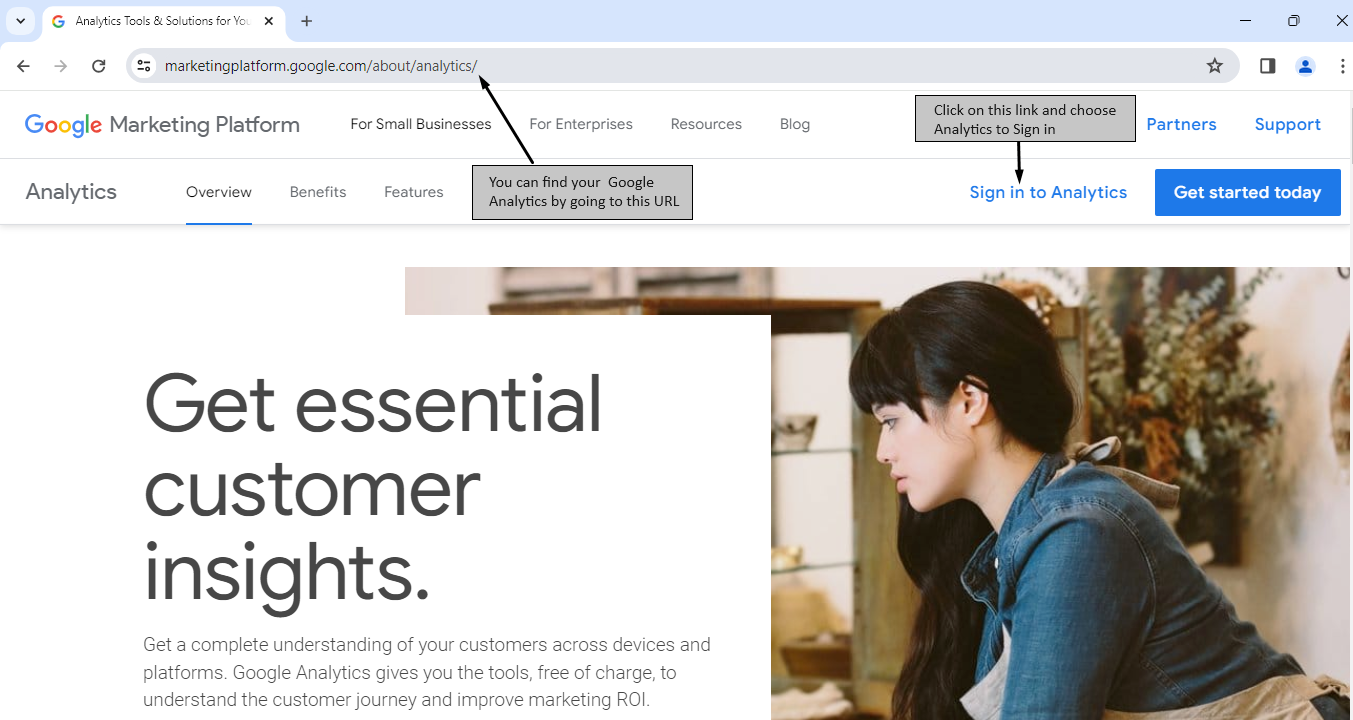
2. While logged into your Google Analytics account click on the “Admin” link.
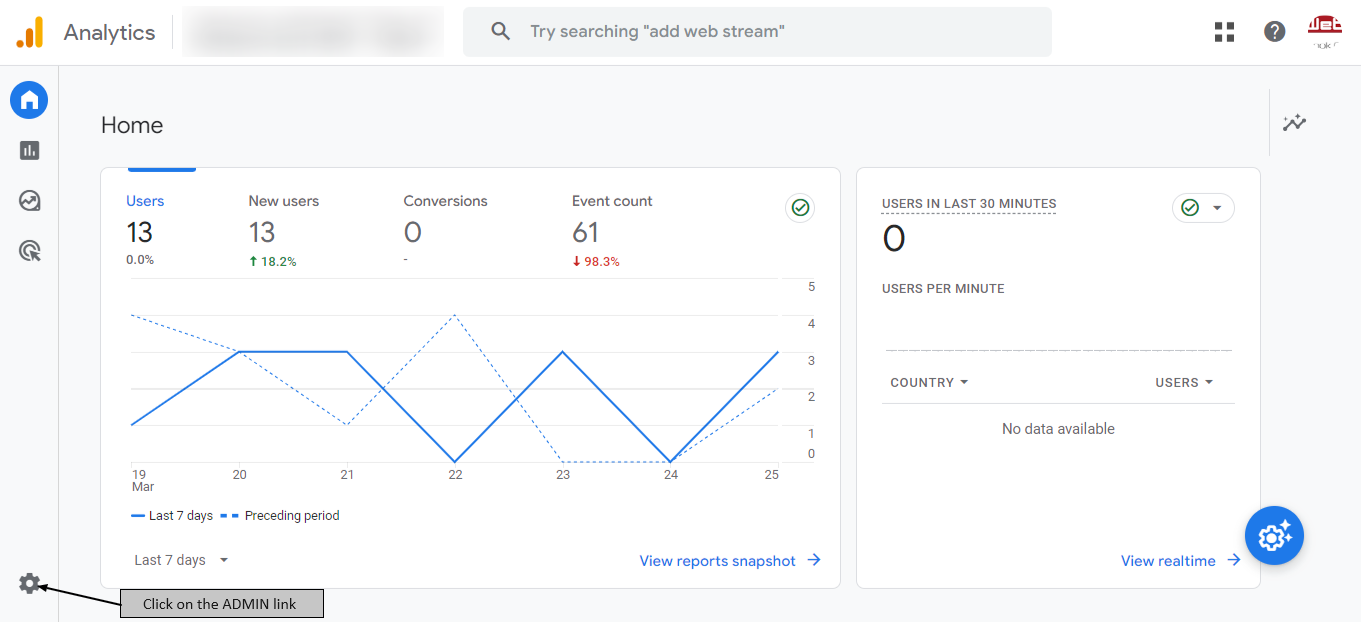
3. Next, click on the “Account access management” link.

4. Next, click on the “+” symbol in the top right corner.
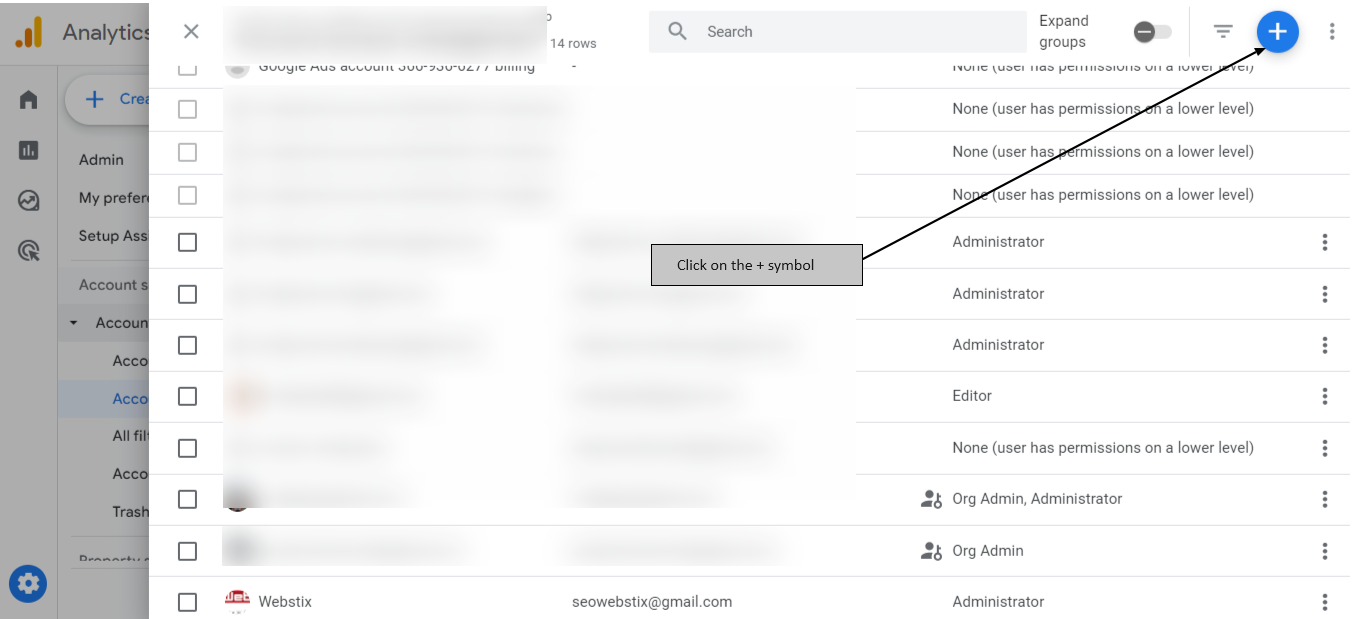
5. Next, under Add permissions, enter the email address and select Notify this user by email to send a notification to the user you’re adding and enable the “Administrator” permission.

6. Click ADD button to save the changes.
If you are giving access to Webstix, please use these two email addresses:
- seowebstix3@gmail.com
- johanssonlennart@gmail.com
If you are giving access to more than one user, repeat the steps 4, 5 and 6.
If you have any problems feel free to give Webstix a call at 608-277-7849. We will be glad to help!