Google My Business is a free tool that helps small businesses create and manage their Google listings, which appear when customers find businesses on Google search and maps. Google My Business (GMB) helps you become more visible to people searching for your products or services. GMB allows your business to appear in maps and local pack listings. It also provides useful insights that give you helpful information. For better location-based rankings, we need to optimize your GMB profile.
We need access to your GMB profile to work on optimization. Here is a step by step guide to give us access with our email account (ask us and we’ll tell you which account that is):
Step 1: Visit this URL and log in to the Google account associated with your listing:
https://www.google.com/business/
Step 2: Click on the hamburger menu icon (☰) in the top left corner of the screen.
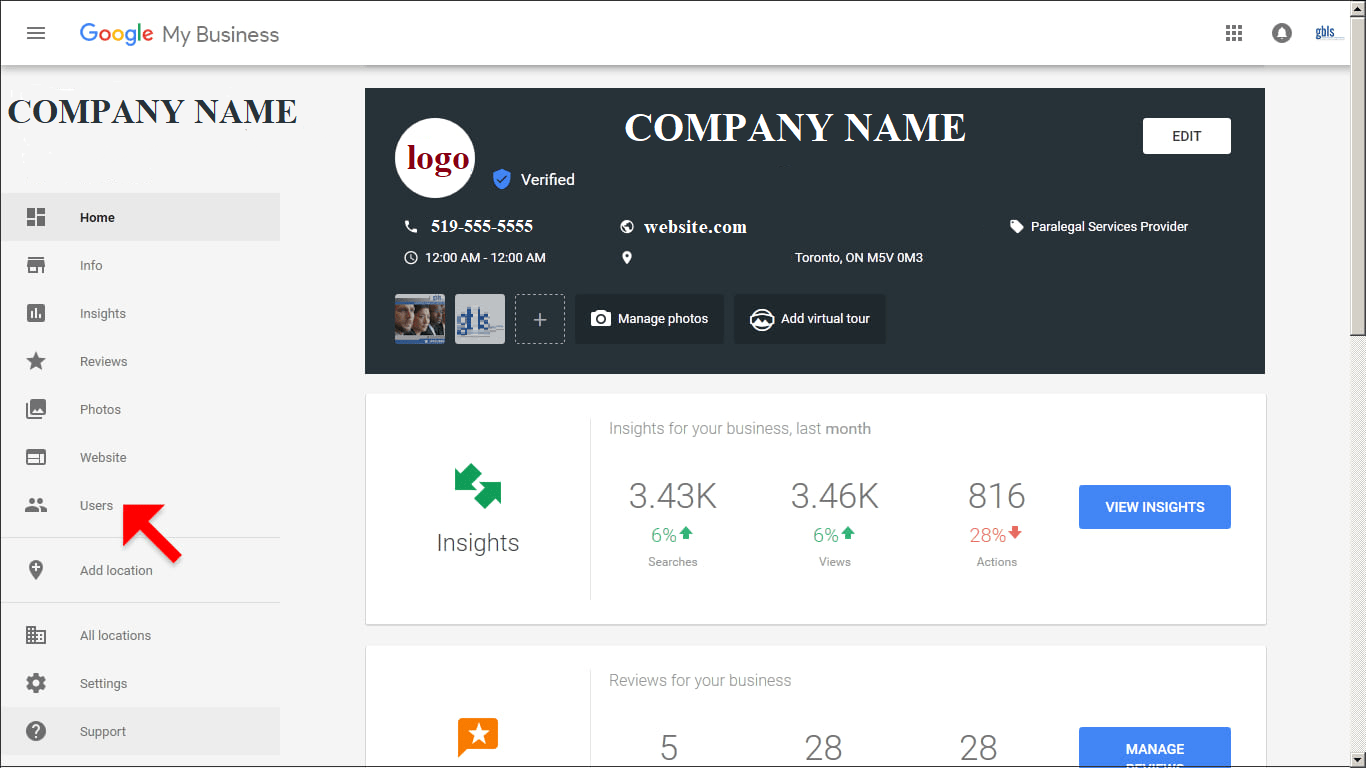
Step 3: Select Manage Users from the menu as shown below by the red arrow.
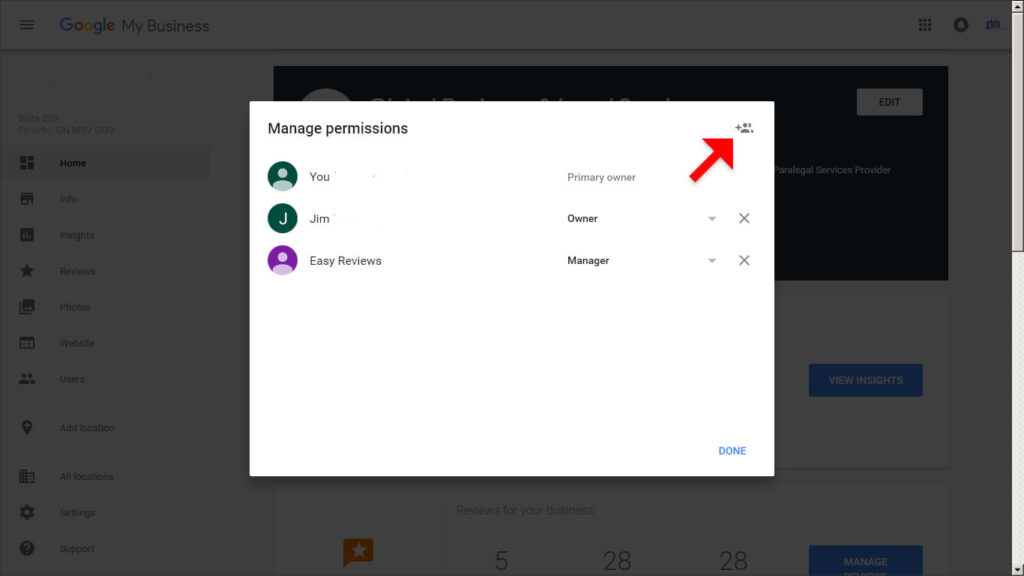
Step 4: Click the Add User icon at the top right of the pop-up screen.
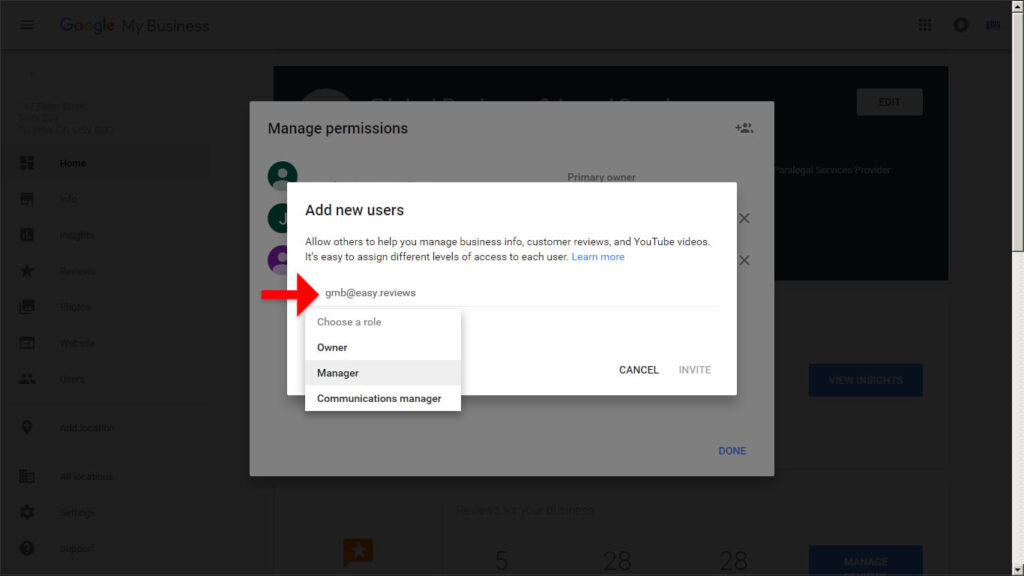
Step 5: Enter our email address and under “Choose a role,” select Manager. Then click the INVITE button.
Step 6: Once you see the “Manage permissions” screen, click the DONE link.
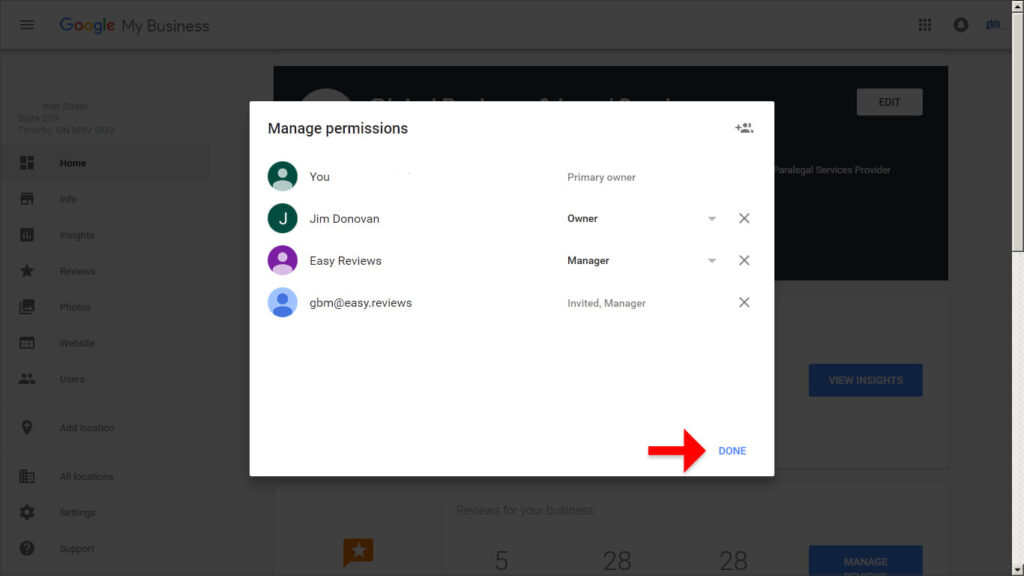
Step 7: Success! This will allow us to manage your Google My Business listing. Note that you can revoke this access at any time.